 By Ahmed11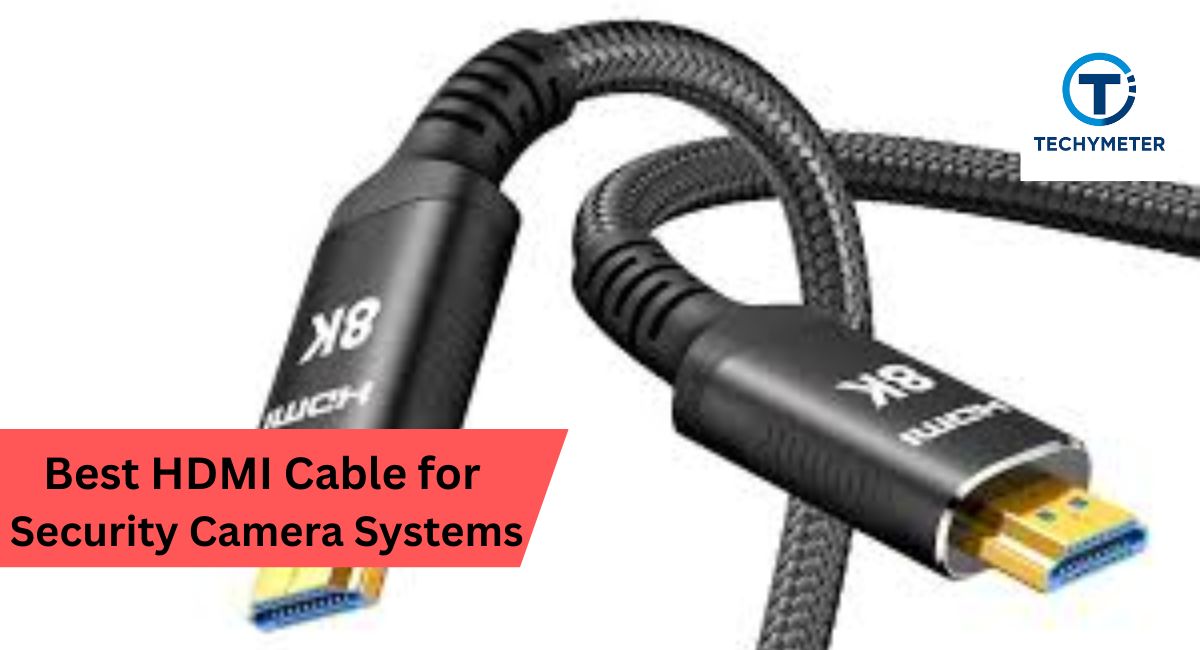
Choosing the best HDMI cable for security camera systems feels simple at first, but you quickly realize the market is full of confusing terms. You see words like gold-plated connectors, 4K HDMI, high-speed HDMI, HDR support, shielding, and interference protection.
You also notice huge price differences, which makes you wonder if expensive cables really improve video quality. When you want your security camera system to display clear footage on a TV or monitor, the HDMI cable is crucial because it carries high-resolution video signals directly from the DVR or NVR.
This guide explains everything in a clear tone that fits everyday users in the USA. You learn how HDMI cables work, how to choose the right length, what versions matter, and how installation affects video quality.
You also learn about active HDMI cables, fiber optic HDMI, and HDMI extenders when you need long-distance solutions. By the end, you confidently choose the best HDMI cable for your security camera system without confusion or overspending.
Choosing the right HDMI cable for security camera systems ensures clear, lag-free 4K video, reliable live monitoring, and long-term durability. High-quality, shielded, or fiber-optic cables prevent interference, support long-distance runs, and keep your surveillance setup running smoothly.
In this article, we discuss “Best HDMI Cable for Security Camera Systems“
Understanding HDMI Cables for Security Cameras
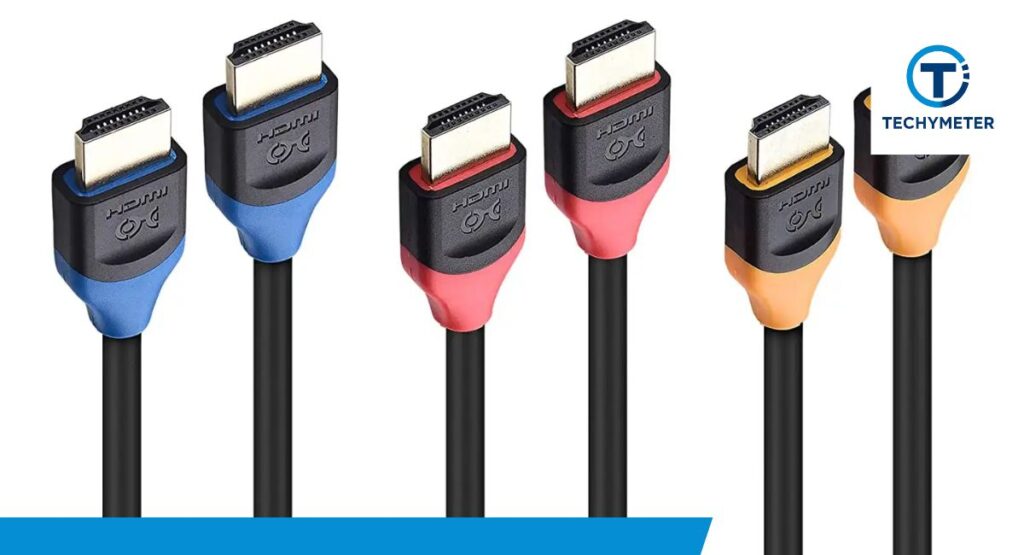
Security camera systems in homes and businesses rely on HDMI cables because HDMI carries both video and audio in one simple connection. This makes it easy to connect a DVR or NVR to a TV, PC monitor, or display screen.
When your HDMI cable is strong, you see a crisp picture. When it is weak or too long, the screen becomes blurry or loses signal. HDMI cables are popular in the USA because they offer better resolution than VGA and require no configuration.
They also support modern security camera systems that use Full HD, 4K, and sometimes 8K outputs. Different HDMI cables support different resolutions and refresh rates, and not all cables are the same. Some are made from strong copper, others use fiber optic cores for long distances.
Some have gold-plated connectors for corrosion resistance, and others have strong braided jackets to protect the cable from bending. To understand how to choose the best HDMI cable for security camera systems, you first need to understand how HDMI works and why it matters for CCTV.
What Is an HDMI Cable and How Does It Work
An HDMI cable is a digital cable that carries high-quality video and audio signals from one device to another. Unlike old analog cables that lose quality, HDMI keeps the signal clean because everything travels in digital form.
When you connect your DVR or NVR to a monitor using HDMI, the cable sends millions of data bits quickly and without distortion. This is why HDMI is the most trusted way to view real-time footage from security cameras.
Inside every HDMI cable, multiple conductors work together to send video data. Some cables have thicker copper, extra shielding, or strong insulation, which improves performance. Better shielding stops electromagnetic interference, often found near power lines or Wi-Fi routers. When interference hits a weak cable, the video freezes or flickers.
Why Security Camera Systems Use HDMI Cables
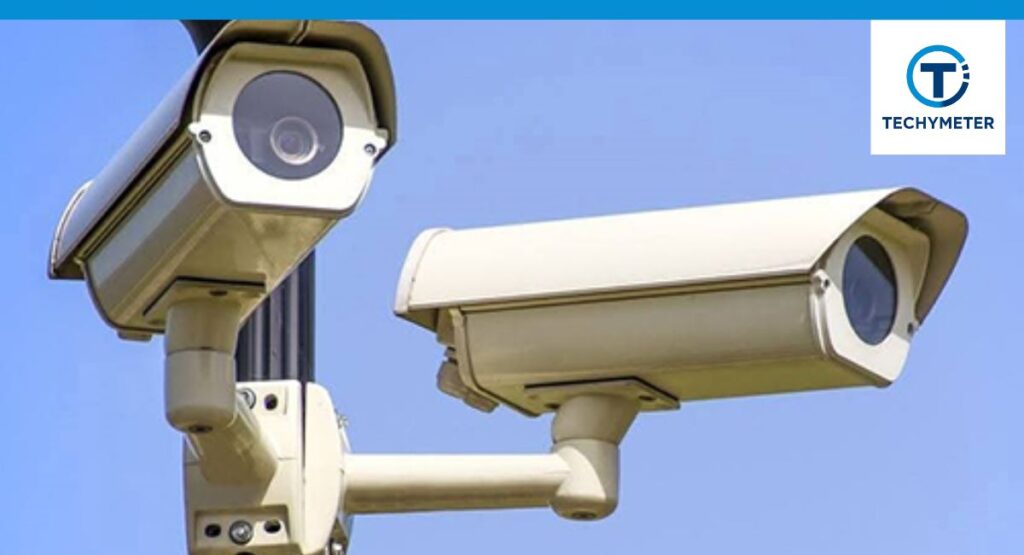
Security camera systems use HDMI cables because HDMI supports modern video resolutions like 1080p and 4K, which are now standard in most CCTV and IP camera systems. DVRs and NVRs output video through HDMI, so you can see live monitoring screens and playback recordings clearly.
HDMI makes setup faster because you simply plug and play with no need for calibration, software, or converters. Another reason HDMI is popular in the USA is that almost every TV and monitor supports HDMI.
Homeowners and business owners can install the system quickly without buying additional equipment. The best HDMI cable for security camera systems needs to support long runtime, stable signal, and strong durability because the cable often stays plugged in for years without being touched.
Key Features of HDMI Cables for CCTV Systems
HDMI cables for CCTV systems must support features that keep the signal clear and stable. Important features include strong shielding, a durable jacket, and a connector that fits tightly into the DVR or NVR.
When the connector is loose, the screen may go black. When the shielding is weak, the signal can become noisy. Many users also look for high-speed HDMI cables because they support 4K resolution, which is increasingly common in American homes. Another important feature is the cable’s build material.
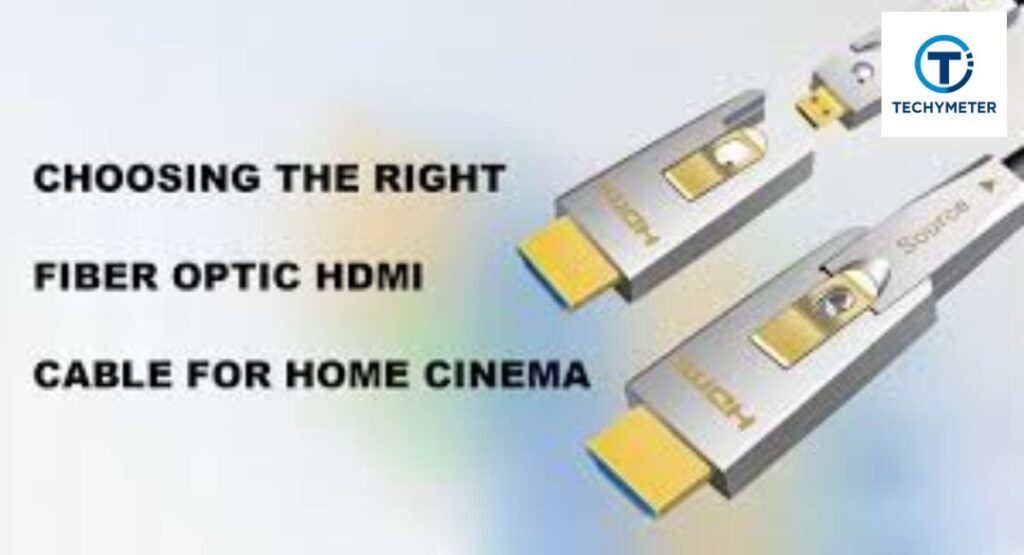
Copper cables offer strong performance for short distances, while fiber optic HDMI cables support long distances like 50–300 feet without signal loss. CCTV installers in the USA prefer cables that support long runs because offices and warehouses often have DVRs far from the monitoring screens.
Here is a simple comparison table showing important HDMI cable features and why they matter:
| Feature | Why It Matters for Security Cameras |
| High-Speed Support | Needed for 1080p, 4K, 8K display quality |
| Strong Shielding | Reduces interference from nearby electronics |
| Connector Quality | Prevents loose connections and signal cuts |
| Cable Thickness | Affects durability and signal strength |
| Gold-Plated Connectors | Prevent corrosion and improve stability |
| Cable Length | Longer cables need higher quality |
Different HDMI Versions and Their Impact on Video Quality
There are various varieties of HDMI cables, including HDMI 1.4, HDMI 2.0, and HDMI 2.1. Each version supports different bandwidth limits, which affect video resolution. HDMI 1.4 supports 1080p easily and some 4K at low frame rates.
HDMI 2.0 supports full 4K at smooth 60 frames, which makes video monitoring clearer. HDMI 2.1 supports 8K, which is more than enough for any CCTV system, although most DVRs and NVRs do not output 8K yet. For security camera systems in the USA, the most commonly used version is HDMI 2.0.
It handles 4K images clearly and works with almost all modern monitors. You do not always need the newest HDMI version because CCTV does not require high-end gaming refresh rates. However, choosing a cable that supports HDMI 2.0 or higher ensures future compatibility.
Compatibility of HDMI Cables with DVRs and NVRs
HDMI cables must match your DVR or NVR output to work correctly. If your DVR supports 1080p, almost any HDMI cable works. If your NVR supports 4K, you need a high-speed HDMI cable that can handle higher bandwidth.
When you use a weak cable with a strong output system, the video may appear blurry or pixelated. USA-based DVR brands like Lorex, Night Owl, Reolink, and Swann often ship with basic HDMI cables that work for short distances but struggle when you extend them.
This is why professional installers often upgrade to better cables, especially when the monitor is far away. HDMI cables are universal and backward compatible, so an HDMI 2.1 cable still works on an HDMI 1.4 DVR.
Benefits of Using HDMI Cables Over VGA
HDMI cables offer clear advantages over VGA cables. VGA is analog, which means the signal degrades over distance, creating blurry output. HDMI is digital, offering sharper video, better color, and more stable performance.
HDMI also supports audio, while VGA carries only video. Most modern DVRs dropped VGA ports entirely because HDMI is more reliable for daily monitoring. In security systems, clarity matters because you must see faces, license plates, and motion details.
HDMI cables transmit clear video without fuzziness, making them the best choice for security camera systems in the USA. HDMI also supports 4K output, while VGA cannot. This is why HDMI remains the preferred choice for professional CCTV installations.
Choosing the Right HDMI Cable
Choosing the best HDMI cable for security camera systems becomes easier when you understand how cable length, build quality, version type, and resolution support affect performance. You want a cable that works smoothly with your DVR or NVR and delivers clear video without flickering or delay.
Many security camera owners in the USA make the mistake of buying the cheapest cable, but low-quality cables often cause blurry images, unstable video, or complete signal loss. A strong and well-built HDMI cable ensures that your monitoring screen always shows reliable footage.
When the cable supports better shielding and higher bandwidth, your camera feed shows more detail, more color accuracy, and fewer connection issues. You will also notice that HDMI cables come in different categories, such as Standard, High-Speed, Premium High-Speed, and Ultra High-Speed.
Each category supports different resolutions and refresh rates. CCTV systems usually do not need ultra-high-end cables, but they still require reliable high-speed HDMI cables to show smooth video on the monitor. Choosing the right cable helps your system stay stable, reduces downtime, and ensures that your security footage looks clean and sharp.
How to Choose the Best HDMI Cable for a Security Camera
Choosing the best HDMI cable for a security camera system starts with understanding your DVR or NVR’s output resolution. If your system supports 1080p, a regular high-speed HDMI cable is enough. If you use a 4K NVR, you need a cable that supports HDMI 2.0 or higher.
The next factor is cable length. Short cables between three to six feet usually work without any issues, while longer cables may lose signal if the build quality is weak. This is why long-distance HDMI cables need stronger materials or active chipsets to push the signal farther.
Another important factor is the environment. If the cable passes near power lines, routers, or metal pipes, interference may weaken the signal. A cable with stronger shielding protects the image quality. You also want a cable with durable connectors.
Weak connectors loosen over time, causing the screen to go black. A well-built cable ensures your security camera feed stays stable twenty-four hours a day. Choosing the best HDMI cable for security camera systems means choosing reliability, strong build quality, and proper video support.
Length Considerations When Buying HDMI Cables
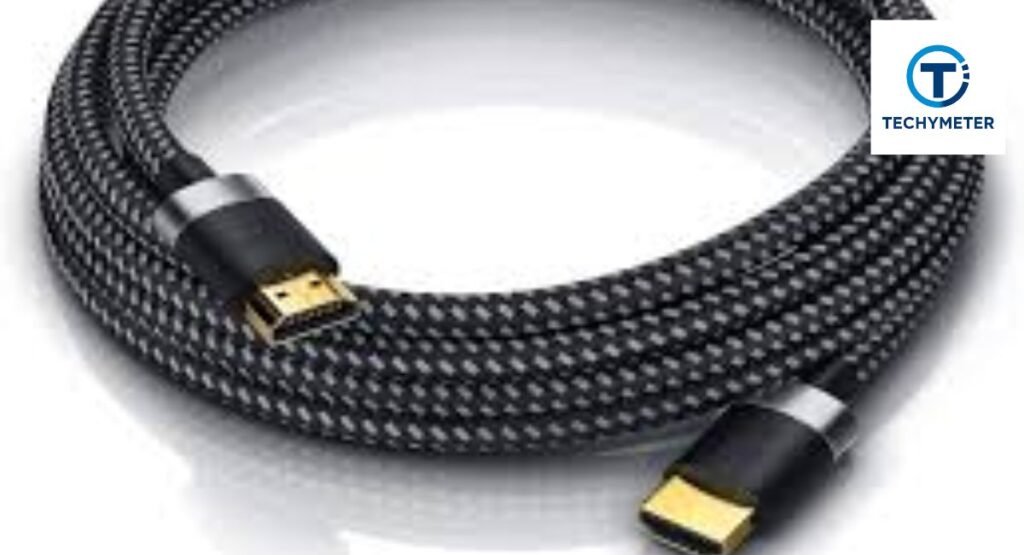
The length of an HDMI cable directly affects performance. Short cables under ten feet usually work perfectly, even with budget cables, because the signal only travels a short distance. When you need longer cables, such as twenty, thirty, or fifty feet, the risk of signal degradation increases.
Video may become fuzzy, or the screen may show a “No Signal” message. Long cables must be built from stronger copper and better shielding to keep the signal clean. Many American homeowners run their cables across rooms, through ceilings, or behind walls, and these longer routes require higher-quality cables.
If your monitoring screen is far from your DVR or NVR, you should choose a cable designed for long-distance performance. Some cables use internal boosters or active chips to extend the range. Others use fiber optic technology. Choosing the correct cable length ensures your video stays stable at all times.
Here is a useful table showing recommended cable length guidelines for security camera systems:
| Cable Length | Recommended Cable Type | Notes |
| 3–10 ft | Standard High-Speed HDMI | Works for most home setups |
| 10–25 ft | High-Speed HDMI with strong shielding | Better stability for DVR/NVR |
| 25–50 ft | Active HDMI cable | Prevents signal loss |
| 50–300 ft | Fiber Optic HDMI | Best for long runs |
High-Speed vs Standard HDMI Cables: Which One Do You Need?
High-speed HDMI cables support higher resolutions such as 1080p, 4K, and 8K. Standard HDMI cables support older systems and lower resolutions. For security camera systems, a high-speed HDMI cable is the smarter choice because most modern DVRs and NVRs output at least 1080p video.
Many USA-based homeowners use 4K recorders that require stable bandwidth to show clear footage. High-speed HDMI cables handle this bandwidth easily. Standard HDMI cables may work for very old systems, but they cannot carry the amount of data that modern CCTV systems require.
When you choose a high-speed HDMI cable, you get better performance and long-term compatibility. This helps you avoid upgrading again when you replace your monitor or NVR in the future.
Understanding 4K and 8K Support in HDMI Cables
Many modern security cameras and NVRs now support 4K resolution because it shows more details, clearer faces, and sharper nighttime images. When your system supports 4K, your HDMI cable must handle the increased bandwidth.
If your cable is weak, the video may flicker or fail to display. HDMI 2.0 and 2.1 cables handle 4K easily, and HDMI 2.1 can also support 8K resolutions. Not many security systems use 8K yet, but buying an HDMI 2.1 cable can make your setup future-proof.
4K support is especially important for business owners who monitor large properties. You want smooth video without lag or blurriness. Many users in the USA upgrade to 4K NVRs, and choosing the right cable ensures you get full value from your equipment.
How Cable Build Quality Affects Signal Transmission
The build quality of an HDMI cable decides how well it transmits video. Thick copper conductors carry signals more efficiently, and strong shielding protects the cable from interference. When a cable is poorly made, the signal becomes weak as it travels through the wire.
This leads to flickering images, distorted output, or complete signal loss. A well-built HDMI cable ensures stable performance every day. Some cables use braided jackets that protect them from bending and physical damage. Others use triple shielding that blocks external electromagnetic noise.
When you choose a strong cable, you guarantee that your security footage remains smooth and reliable. Poor-quality cables often fail after a few months, especially in tight spaces or high-heat environments.
Gold-Plated Connectors: Do They Make a Difference?
Gold-plated connectors offer better resistance to corrosion, which helps the cable maintain a strong connection over time. This does not make the video quality sharper, but it does help the cable stay reliable for longer.
Ordinary connectors may oxidize when exposed to moisture or dust, especially in garages or outdoor walls. Gold-plated connectors stay clean and stable, preventing random screen blackouts or connection drops.
Most professionals in the USA prefer using cables with gold-plated connectors for security camera systems because these cables last longer. The connector stays tight inside the DVR or NVR port, creating a consistent signal pathway. This prevents issues during live monitoring or playback, keeping your security system dependable.
Does HDMI Cable Thickness Matter?
HDMI cable thickness mostly affects durability and shielding strength. Thick cables usually contain more protective layers, which help the internal wires stay safe from damage. They also offer better shielding, which prevents interference from nearby electronics.
However, very thick cables may be difficult to bend around corners or through small conduits. For security camera systems, a medium-thick cable is usually the best choice. It offers durability without making installation difficult.
When the cable runs behind furniture, inside walls, or across long distances, having a strong and balanced cable ensures stable performance without physical strain.
Shielding and Interference Protection in HDMI Cables
Shielding is one of the most important parts of an HDMI cable. Strong shielding protects the cable from electromagnetic interference that comes from power cables, Wi-Fi routers, microwaves, and metal objects.
When interference affects an HDMI cable, the screen may show sparkles, flickers, or complete signal failure. Security camera systems require constant performance, which means interference protection is critical.
High-quality HDMI cables include double or triple shielding layers. These layers keep the signal clean, even when the cable runs through walls or ceilings filled with electrical wires. If your DVR or NVR sits near multiple devices, shielding becomes even more important. Choosing a well-shielded cable ensures your monitoring feed stays stable at all times.
Flat vs Round HDMI Cables for Security Camera Installations
Flat HDMI cables are easier to hide along walls, baseboards, or under carpets, which makes them useful for home installations. Their shape helps them fit into narrow gaps. However, flat cables may offer less shielding than round cables.
This means they may struggle with long distances or environments full of electronic devices. Round HDMI cables support stronger shielding and thicker materials. They perform better over long distances and resist interference more effectively. Professional CCTV installers in the USA prefer round cables for commercial buildings, warehouses, and long cable runs.
Installation Tips
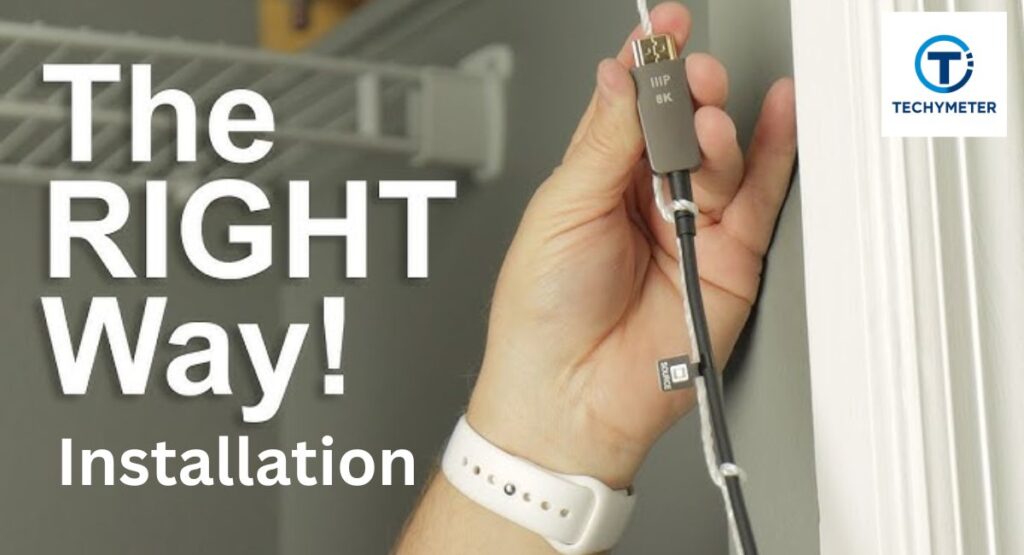
Installing an HDMI cable for your security camera system may look simple, yet small mistakes can cause video loss, flickering screens, or unstable footage. When you understand how to route cables correctly and connect them with care, your monitoring setup becomes far more reliable.
Many homeowners in the USA overlook small details like cable bends, distance limits, and interference sources, but these factors decide whether your display shows clear footage or constant glitches. Proper installation helps your DVR or NVR deliver the full resolution your cameras capture and keeps your security system stable all day.
Good installation also protects the cable from long-term wear. HDMI cables lose performance when twisted too tightly or squeezed behind heavy furniture. When you follow safe routing paths and avoid physical stress, your cable lasts longer and maintains a clean signal.
This section explains how to install HDMI cables properly, extend the length safely, avoid signal loss, and run them through walls without violating safety standards. Once you follow these steps, your security monitoring setup will work smoothly without needing frequent adjustments.
How to Properly Connect an HDMI Cable to a Security System
Connecting an HDMI cable to your DVR or NVR starts with using the correct HDMI port. Many devices offer multiple ports for different resolutions, so choose the port labeled “HDMI Out.” When you insert the cable, push firmly until it fits snugly.
A loose connection may cause flickering or intermittent video loss. After connecting the cable to the DVR or NVR, plug the other end into your monitor or TV. Make sure the screen input is set to the correct HDMI source so that your security camera feed appears immediately.
It is always better to test the HDMI cable with a short connection before running it through walls or ceilings. This helps you confirm that both the cable and the ports are working correctly. Some users connect their HDMI cable while the DVR or TV is powered on, which may cause temporary black screens.
Turning the devices off during connection ensures that the system recognizes the cable properly. Once everything is connected, you can start adjusting the cable path to ensure a clean installation.
Avoiding Signal Loss During Installation
Signal loss happens when your HDMI cable experiences interference, extreme bending, or long distances. When you install the cable, make sure it is not twisted or knotted. Every sharp bend weakens the internal copper pathways, which causes the video to flicker or disappear.
This becomes more noticeable in 4K security systems because they require higher bandwidth. Keeping the cable straight and loosely routed prevents performance drops. Interference also affects the HDMI signal. If your cable passes too close to power lines, broadband routers, or appliances like microwaves, the signal weakens.
Try to keep at least six inches of distance between the HDMI cable and power cables. If your installation route forces the HDMI cable near electrical cables, choose a model with stronger triple-layer shielding. This reduces noise and keeps your video stable during heavy power usage.
How to Extend HDMI Cable Length Safely
Sometimes your monitor or TV is far from the DVR or NVR, and you need to extend the HDMI length. Extending the cable is safe when you use proper equipment, such as active HDMI cables or HDMI extenders. Active HDMI cables use built-in chips to boost the signal across long distances.
These cables are perfect for lengths between twenty-five and fifty feet. If you need more distance, HDMI extenders deliver even better reliability. HDMI extenders use Cat6 cables or fiber optic lines to transmit the signal. They allow distances up to three hundred feet without signal loss.
Many security professionals across the USA use extenders for commercial buildings or long hallways. They prevent flickering screens and keep video quality stable. Avoid connecting multiple cheap HDMI extension adapters because each connection point weakens the signal and increases the risk of video issues.
Using HDMI Splitters with Security Cameras
HDMI splitters allow you to display your security camera feed on multiple screens at the same time. For example, homeowners may want one monitor in the living room and one in the office. Businesses may need several viewing points.
When you use an HDMI splitter, make sure it supports the same resolution as your DVR or NVR. If your system outputs 4K video, you must use a 4K-compatible splitter. Many people in the USA experience issues with splitters because they use non-powered splitters that are not strong enough for long cables.
A powered HDMI splitter works better because it boosts the signal before sending it to each display. This ensures all screens show clear and stable video. Always connect the HDMI splitter directly to the DVR or NVR for best performance.
Can You Run HDMI Through Walls? Safety Tips
Running HDMI cables through walls helps hide wires and makes your installation look clean. Before doing this, check whether your home uses fire-blocks or insulation that may interfere with cable placement.
Always use an in-wall rated HDMI cable, known as CL2 or CL3 rated, which complies with safety standards in the USA. These cables are designed to resist heat and avoid fire hazards inside wall cavities.
Do not run the cable near electrical lines because this causes interference and increases safety risks. Maintain at least one foot of separation between HDMI and power lines. When passing through wall plates, make sure the cable is not pinched.
Tight spaces inside walls can easily damage the cable jacket. Using a flexible HDMI cable makes routing easier and prevents internal wire damage.
Smart Ways to Hide HDMI Cables Indoors
Hiding HDMI cables indoors makes your monitoring setup clean and modern. Many homeowners hide the cable behind furniture, inside plastic cable raceways, or under carpets. Cable raceways offer better protection because they shield the HDMI cable from dust, bending, and accidental pressure.
They also help maintain strong signal performance because they prevent twisting and crushing of the internal wiring. Another popular method is using adhesive wall channels that match your wall color. They keep the cable close to the wall and blend naturally with your interior design.
You can also hide the cable behind baseboards if there is enough space. When hiding cables indoors, make sure they are not trapped under heavy furniture because pressure can damage the HDMI connector or the internal copper conductors.
Outdoor Installation Tips for Long HDMI Runs
Outdoor HDMI installation requires special planning because outside cables face moisture, heat, cold, and physical movement. Standard HDMI cables are not built for outdoor conditions, so you must use weather-resistant or conduit-protected cables.
Running the HDMI cable inside a PVC conduit protects it from rain, sunlight, rodents, and temperature swings. This helps keep your security footage stable even during storms or extreme weather. Long outdoor runs often require active HDMI cables or fiber optic HDMI cables.
These cables maintain strong performance even across large distances, making them ideal for connecting remote buildings, garages, or gate monitors. Avoid burying HDMI cables directly in soil because moisture will damage them.
Always use protective tubing or conduits designed for outdoor routing. When installed properly, outdoor HDMI connections can remain stable for many years without needing repairs.
Troubleshooting HDMI Problems
Even the best HDMI cables can encounter problems, especially in complex security camera setups. You may notice flickering, blurry video, no signal, or unexpected blackouts. Troubleshooting HDMI issues requires understanding the common causes, from poor connections and damaged cables to interference and incorrect settings.
When you know what to look for, most problems can be fixed quickly without replacing the entire system. Many USA homeowners and businesses face these issues, but careful diagnosis ensures your DVR or NVR delivers reliable live and recorded footage.
HDMI troubleshooting also helps protect your investment. Faulty HDMI cables, loose connections, or environmental interference can damage your monitors or DVRs over time. By following simple checks and maintenance routines, you can keep your system running smoothly.
Common HDMI Issues in Security Camera Systems
Common HDMI issues include flickering screens, distorted colors, intermittent signal, and no video at all. These problems often appear when the cable is too long, poorly shielded, or bent sharply. Interference from nearby electronics can also create sparks or noise on the screen.
Sometimes the DVR or NVR settings are mismatched, causing resolution conflicts with the monitor. USA-based users often experience these issues during long-distance installations or multi-monitor setups.
Identifying the exact cause helps determine whether the cable needs replacement, the connection should be tightened, or the device settings require adjustment. Most issues are not caused by the cameras themselves but by HDMI connectivity.
Why Your HDMI Cable Is Not Displaying Video
A “No Signal” message is one of the most frustrating HDMI problems. It can happen if the cable is loose, damaged, or incompatible with your DVR or NVR output. Using a cable that does not support the required resolution or bandwidth also prevents video from appearing.
Another cause is incorrect input selection on the monitor or TV. To fix this, first, ensure the cable is fully inserted into the HDMI port. Then, check the monitor’s input settings and confirm your DVR or NVR output resolution matches the cable’s capability. In many USA homes, a simple replacement with a high-speed HDMI cable resolves the problem entirely.
How to Fix Flickering or No-Signal Problems
Flickering usually signals interference, poor shielding, or a weak cable. Short-term flickers can occur if the cable is bent sharply or if it runs near power cords. No-signal problems often indicate cable failure, long-distance degradation, or faulty connectors.
Testing the cable with a short run helps determine whether the cable itself is the issue. For long runs, using an active HDMI cable or a fiber optic HDMI cable eliminates flickering and maintains a consistent signal. Professionals also recommend avoiding sharp bends and keeping cables at least six inches away from power lines.
How to Fix Blurry or Pixelated Video Output
Blurry or pixelated video usually occurs when the HDMI cable cannot handle the resolution or bandwidth. Long cables without proper shielding often struggle with 4K or high-frame-rate feeds. Incorrect DVR output settings can also cause poor image quality.
Testing the cable with a shorter run or a higher-quality HDMI model often fixes the problem. For USA homeowners with multi-camera setups, maintaining clear video across all monitors is critical. Choosing high-speed HDMI cables with strong shielding ensures your footage stays crisp, detailed, and easy to interpret.
How to Solve Audio Issues Over HDMI
Audio issues are less common in CCTV, but can appear when cameras have integrated microphones or audio recording. Weak HDMI cables, poor connections, or faulty ports may prevent sound from passing.
Many NVRs output both video and audio over HDMI, making cable quality important. If audio cuts out or is distorted, try reconnecting the cable or replacing it with a high-speed model.
Ensuring your HDMI cable fully supports audio transmission is essential when monitoring multiple cameras with sound. High-quality cables maintain both video clarity and audio integrity, making your security system more comprehensive.
When to Replace Your HDMI Cable
Replacing an HDMI cable is necessary when physical damage, frequent flickering, or no-signal errors persist despite troubleshooting. Over time, connectors may corrode, internal wires break, or shielding fails.
In the USA, many homes and businesses upgrade HDMI cables every 3–5 years to maintain 4K video quality and reliable monitoring. Using certified high-speed or fiber optic cables ensures the system continues functioning optimally for years.
Advanced Features & Upgrades
Modern HDMI cables offer more than simple video transmission. Advanced features like long-distance extenders, wireless capabilities, and Power over HDMI (PoH) are changing how security systems are designed.
These upgrades allow homeowners and businesses in the USA to create flexible, future-proof setups without sacrificing video quality. By understanding these features, you can make smarter decisions when expanding or upgrading your security camera network. They help reduce clutter, improve signal reliability, and enable multi-monitor setups effortlessly.
Many installers overlook advanced options and stick with basic cables, which limits system potential. Embracing newer technologies allows longer runs without signal loss, simpler installation, and cleaner routing.
Future-ready features like HDMI 2.1 support, fiber-optic lines, and PoH integration prepare your CCTV system for upgrades like 4K/8K recording and smart home monitoring.
Using HDMI Extenders for Long-Distance Security Setups
HDMI extenders boost your cable signal over long distances using Cat5e/6 cables or fiber optics. They are ideal when DVRs or NVRs are far from monitors, such as in large homes or commercial buildings.
Extenders prevent signal degradation, ensuring crisp video even beyond 100 feet. Unlike standard cables, extenders maintain both video and audio quality. For example, a shopping mall in the USA connected a distant surveillance room with a Cat6 HDMI extender.
The result was a lag-free 1080p feed without investing in multiple expensive monitors or new DVRs. Extenders provide flexibility and cost savings while preserving performance.
Power Over HDMI: Is It Possible?
Power over HDMI is an emerging feature that allows some cables to deliver low voltage along with video and audio. This can reduce the need for separate power lines in small setups. While not widely adopted in mainstream security cameras, PoH is useful for compact systems where minimizing cabling is essential.
PoH is most effective in integrated solutions where the cameras and monitors support low-power HDMI transmission. Installing PoH cables reduces clutter, simplifies wiring, and lowers installation time. However, always verify device compatibility before relying on PoH for your system.
HDMI to VGA and HDMI to AV Converters Explained
Converters allow older monitors or recording devices to work with modern HDMI outputs. An HDMI-to-VGA converter enables analog displays to show digital CCTV feeds. Similarly, HDMI-to-AV converters let your older TVs display your security camera system.
These solutions are useful when upgrading DVRs or cameras in properties with legacy equipment. Many homes and businesses in the USA use these converters to extend the life of older monitors while still benefiting from new HD cameras. Always choose converters that support the resolution and refresh rate of your system to avoid blurry or flickering images.
Wireless HDMI vs Wired HDMI for Security Cameras
Wireless HDMI removes the need for long cables and simplifies installation. It works best for short-to-medium distances inside homes or offices. Wired HDMI, however, remains more reliable over long distances and supports higher resolutions without interference.
Choosing between wireless and wired depends on your property layout, signal stability, and budget. For example, a warehouse in the USA used wireless HDMI for temporary camera monitoring. It worked for quick setups but showed occasional interference near heavy machinery.
Future Trends in HDMI Technology for CCTV
Future HDMI cables will support higher bandwidths, better shielding, and integration with smart systems. Technologies like HDMI 2.1, 8K support, and fiber optic lines are becoming more common. These advancements will make monitoring smoother, support higher frame rates, and reduce installation challenges.
Investing in future-ready cables ensures your system stays compatible with upcoming DVRs, NVRs, and monitors. Homes and businesses in the USA will benefit from smoother video transmission, lag-free live feeds, and easier upgrades without replacing the entire wiring network.
Connecting HDMI Cables to Smart TVs for Live Monitoring
Smart TVs can serve as convenient monitoring screens for security systems. Most modern TVs have multiple HDMI ports and support high resolutions. Connecting your DVR or NVR via HDMI allows you to view live feeds, recorded footage, and even control camera settings from your TV.
Many homeowners prefer smart TVs for monitoring because they combine a high-definition display with integrated apps and wireless networking. Using a high-quality HDMI cable ensures your CCTV feed remains crisp, stable, and lag-free.
Conclusion
Choosing the best HDMI cable for security camera systems is more than picking a random wire. Your choice impacts video quality, reliability, and long-term performance. High-quality HDMI cables maintain 4K clarity, prevent flickering, reduce interference, and ensure lag-free live monitoring.
From understanding cable types, lengths, and shielding to troubleshooting and using advanced features like fiber optics or extenders, every detail matters. By investing in the right cable and following proper installation practices, you secure a system that works efficiently for years.
Whether for a home, business, or large commercial property in the USA, a strong HDMI connection ensures your security cameras deliver accurate, dependable footage whenever you need it.
FAQs
1. Can I use any HDMI cable for my security cameras?
Not all HDMI cables are suitable. You need a high-speed or certified cable, especially for 4K or long-distance installations. Cheap cables may cause flickering, signal loss, or blurry footage.
2. What is the maximum safe length for an HDMI cable?
Passive HDMI cables work well up to 25–30 feet. For longer runs, use active HDMI or fiber optic cables to prevent signal degradation.
3. Are gold-plated connectors necessary?
Gold-plated connectors reduce corrosion and provide a more stable connection, which improves signal integrity over time, especially in humid or high-use environments.
4. Can HDMI cables transmit audio from security cameras?
Yes, if your DVR or NVR supports audio output, a high-quality HDMI cable can transmit both video and sound without interference.
5. Do I need a different HDMI cable for 4K cameras?
Yes. 4K cameras require high-speed HDMI cables or HDMI 2.0/2.1 compliant cables to support higher bandwidth and prevent video lag.
6. What is the difference between active and passive HDMI cables?
Passive HDMI cables transmit signals without amplification, suitable for short distances. Active HDMI cables have built-in boosters for long runs and reduce signal degradation.
7. Can I run HDMI cables through walls safely?
Yes, but use in-wall rated cables (CL2 or CL3). Keep them away from power lines to avoid interference and ensure compliance with fire safety standards.
8. Are fiber optic HDMI cables better than copper cables?
Fiber optic cables excel in long-distance setups because they prevent signal loss and interference. Copper is sufficient for short runs but struggles over long distances.
9. How do I troubleshoot a flickering HDMI signal?
Check cable connections, avoid sharp bends, separate from power cords, and consider using an active or shielded high-speed HDMI cable for longer distances.
10. Can I use HDMI splitters or extenders with my security cameras?
Yes. HDMI splitters allow multiple monitors to display the feed, and extenders boost signals for long distances without degrading video quality.
Read More
- 7 Stunning Highest Dynamic Range Camera Picks (2026 Guide)
- 10 Easy Settings for Camera Secrets for Amazing Results (Beginner Guide)
- 7 Best Cameras With Bokeh for Stunning Photos (2026 Guide)
- 7 Shocking Facts About Cameras in the Toilet You Must Know
- 7 Proven Camera Settings for Cloudy Day Magic (Complete Guide for Stunning Overcast Photography)
 Ahmedd12