 By Ahmed11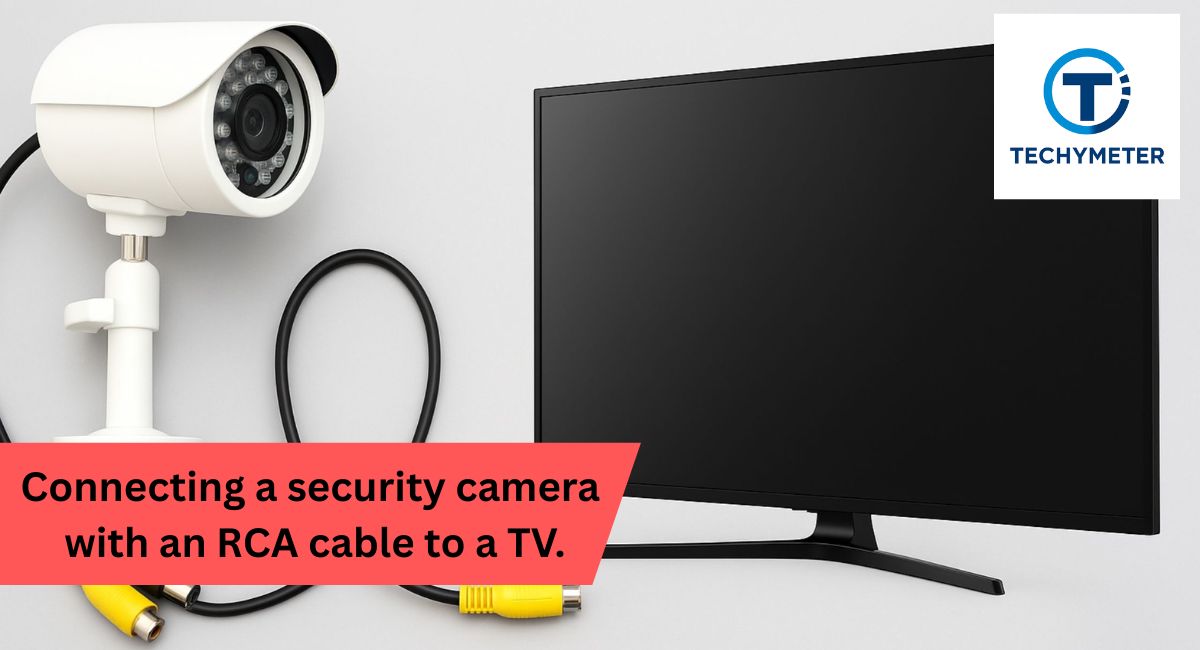
Connecting a security camera to your TV using an RCA cable is one of the easiest ways to monitor your home or business in real time. Whether you have an analog CCTV camera or a wireless system, this setup allows direct camera to television viewing without the need for an expensive DVR. With the right RCA yellow, red, and white cable and a proper TV input source AV, you can enjoy CCTV live view on TV instantly.
Many people face challenges like RCA camera no signal on TV or security camera black screen fix, but once you understand how to match your camera’s output with the TV’s AV composite input, the setup becomes straightforward. In this guide, we’ll walk you through connecting a security camera using an RCA cable to a TV, explain the types of cameras compatible with RCA, and demonstrate methods for both wired and wireless systems to ensure a seamless security camera TV display experience.
“Learn how to easily connect a security camera with an RCA cable to your TV for live monitoring, with or without a DVR, on both wired and wireless systems.”
In this article, we discuss “connecting a security camera with an RCA cable to a TV.”
Connecting a Security Camera with an RCA Cable to a TV without a DVR
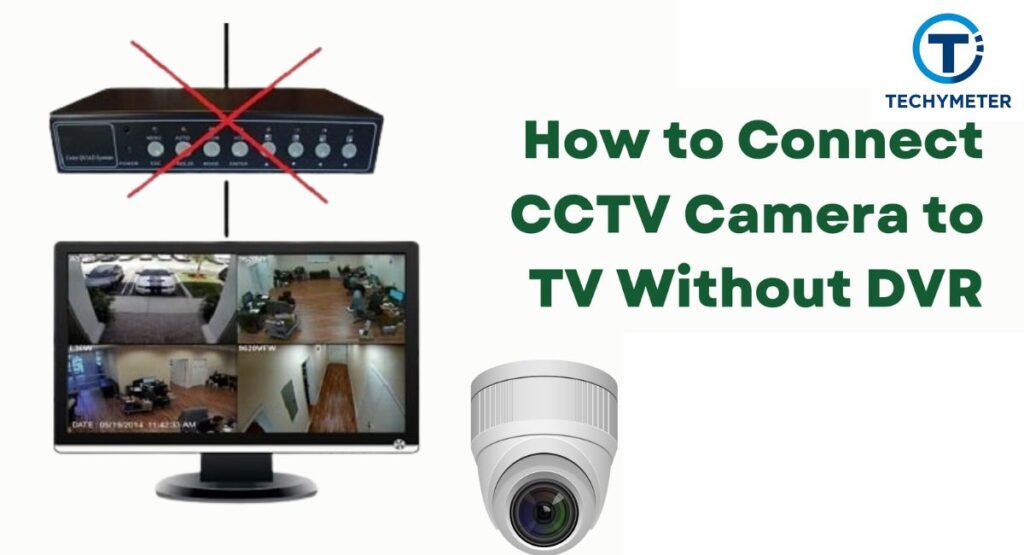
Connecting a security camera directly to a TV without a DVR is easier than many people think. By using a simple RCA cable from a security camera to a TV setup, you can view your security camera live view instantly. This method is cost-effective and eliminates the need for complicated DVR systems.
If you have an older analog camera or a modern wireless model with AV outputs, you can create a direct camera-to-television feed using CCTV RCA video output or adapters. It’s perfect for temporary setups, small businesses, or home monitoring, where a camera without DVR recording is sufficient.
Why Connect a Security Camera with an RCA Cable to a TV?
Connecting a security camera to a TV without a DVR is an excellent option for homeowners and small business owners who want simplicity. By using an analog camera RCA setup, you can see live footage on a large screen without investing in a full DVR system. This setup also makes troubleshooting easy if there are any issues, like a security camera with no signal, RCA.
Another benefit is speed. With a composite AV connection using an RCA yellow, red, and white cable, your security camera AV output is immediately visible on your TV. This allows you to check entrances, yards, or offices in real-time. Even older TVs with simple AV input on television ports can support this setup.
Save Some Money
By avoiding DVRs, you cut costs. DVRs require extra investment for hardware, storage, and cables. A direct camera to TV feed using a CCTV monitor with RCA input reduces these expenses. Many analog CCTV to smart TV adapters are inexpensive, making connecting a security camera with an RCA cable to a TV budget-friendly.
Easier Installation
Fewer devices mean simpler installation. Using a coaxial to RCA cable or a BNC to RCA adapter, you can connect your camera directly to the TV. The RCA video signal to the TV ensures a smooth setup. Even first-time users can manage this, making the TV AV mode CCTV convenient for quick monitoring.
Live Viewing
If you need CCTV live view on TV, an RCA connection is ideal. Unlike DVR setups, there’s no lag. The security camera TV display happens instantly. You just plug in your RCA cable camera to the TV and switch the TV input source AV to the correct channel.
Temporary Use
For temporary monitoring, such as renovations or events, a wired CCTV RCA connection works perfectly. You don’t need to set up complicated recording devices. Simply connect the analog camera to the television using a BNC to RCA converter for TV, and you’re ready to monitor live feeds in minutes.
Solutions for Connecting a Security Camera with an RCA Cable to a TV for Live View
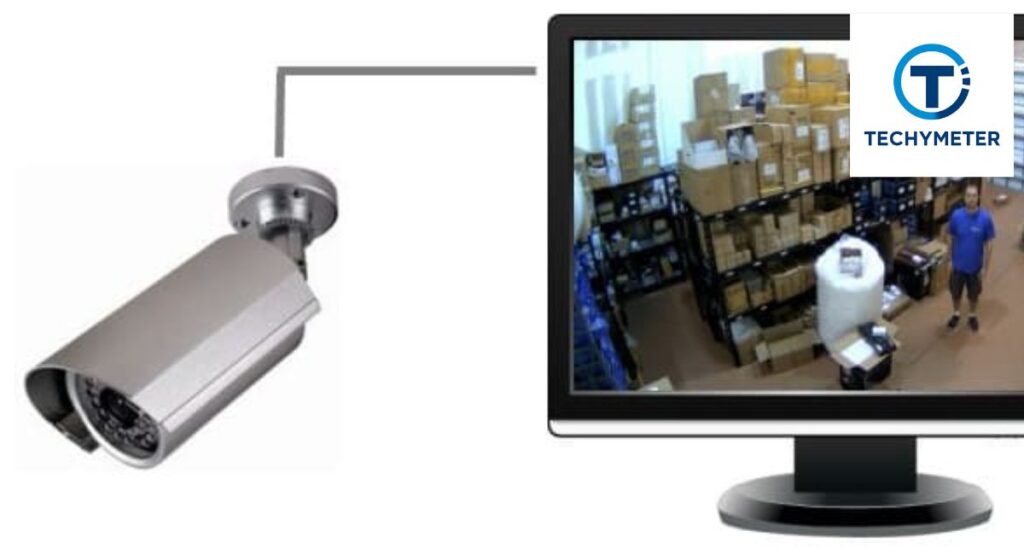
There are multiple ways to connect a security camera to your TV using an RCA cable from the camera to the TV. For CCTV, you can use a composite video cable; for contemporary TVs, you can use an RCA to HDMI converter. Older analog cameras typically require a BNC to RCA adapter, while newer wireless cameras may need a wireless receiver for the camera to handle the RCA audio-video transmission.
For larger setups, using an HDMI splitter for CCTV allows multiple TVs to display the same security camera video out simultaneously. This ensures you can monitor multiple rooms or floors without running multiple cables. Using an RCA extension for CCTV helps if your camera is far from the TV, maintaining a strong RCA video signal to the TV without loss.
Security Camera to TV Connection Solutions Using RCA Cable
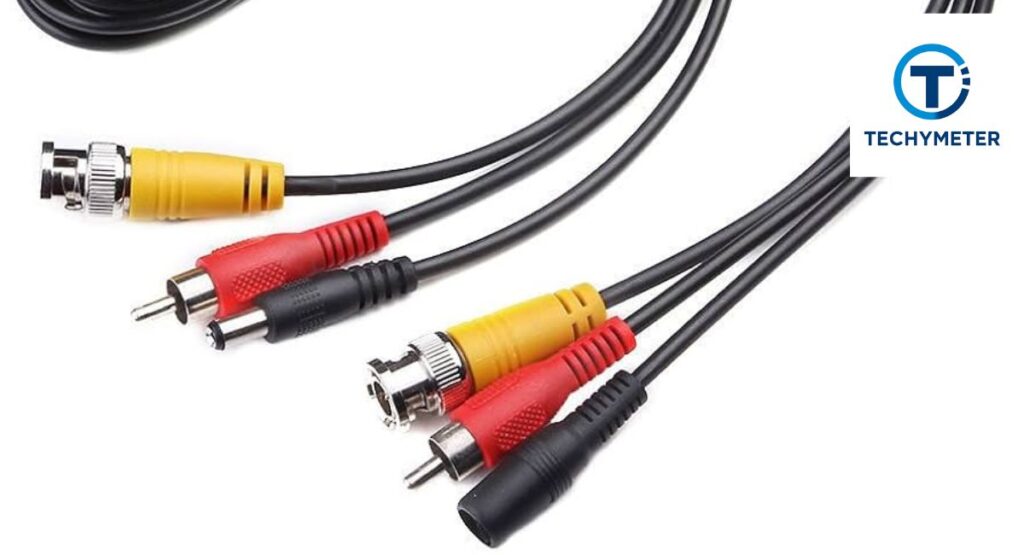
A direct analog CCTV connection to your TV is possible with the right tools. Using an RCA yellow video cable with a TV AV mode camera, the feed is visible immediately. For analog cameras, a BNC connector to RCA adapter converts the CCTV RCA video output to a format your TV recognizes.
Even if your TV lacks RCA input, an RCA to HDMI converter or Ethernet to HDMI adapter ensures direct camera to TV feed compatibility. Modern smart TV camera app support allows an IP camera on a smart TV to display a security camera TV display without a DVR. This makes a CCTV camera without DVR monitoring practical and accessible.
What Type of Security Camera Can Connect to a TV with an RCA Cable?
Not all cameras are compatible with RCA cable camera to TV setups. Analog cameras (BNC connector) work best, as they easily connect via a BNC to RCA adapter for TV AV mode CCTV. High-definition analog models like HD-SDI or HD-TVI cameras may need an HDMI to RCA converter for security camera video out.
Wireless cameras with AV outputs require a wireless receiver forthe camera to broadcast RCA audio video transmission to your TV. Some IP cameras on smart TVs can use smart TV screen casting or devices like Fire TV Stick camera viewer to create direct camera-to-television feeds, even for modern setups.
Equipment Required for Connecting a Security Camera with an RCA Cable to a TV
To successfully connect your security camera to a TV without a DVR, you need the right equipment. First, the RCA yellow, red, and white cable is essential for transmitting video and audio signals. A BNC to RCA adapter is needed if you have older analog cameras (BNC connector).
Additionally, you require an AV, a camera power converter, and a compatible TV input source. For HD cameras, an RCA to HDMI converter may be required. Optional tools like an RCA extension cable, CCTV, or a wireless receiver for the camera make installation easier, especially for larger spaces.
Things to Know Before Connecting a Security Camera with an RCA Cable to a TV
Before starting, verify your TV input compatibility and the type of camera you have. Not all cameras support a direct camera-to-TV feed via RCA. Check for AV input on the television or TV AV mode camera. For HD or IP cameras, an HDMI to RCA converter or a smart TV camera app may be required.
Also, ensure your CCTV video format compatibility. Some cameras use PAL or NTSC standards. Mismatched signals can cause RCA camera black screen issues. Knowing the composite video resolution your TV supports prevents security camera no signal RCA problems.
What Type is Your Security Camera?
Different cameras need different setups. Analog cameras connect easily via an analog camera RCA setup. IP cameras on smart TVs may require apps or smart TV screen casting. Wireless cameras use a wireless receiver forthe camera to send the security camera video out to the TV. Knowing the type ensures a smooth connection of the security camera with an RCA cable to the TV process.
Is Your TV Compatible with the RCA Camera Connection?
Your TV must have the correct AV composite input or RCA ports. If not, you need an RCA to HDMI converter or an Ethernet to HDMI adapter. Modern smart TVs can use a smart TV camera app or a Fire TV Stick camera viewer for direct camera-to-television feeds. Proper compatibility ensures a seamless security camera TV display.
How to Connect a Security Camera to a TV with an RCA Cable
Start by connecting the camera’s CCTV RCA video output to the TV’s AV input security camera port using an RCA yellow video cable. If the camera is an analog vs IP camera to TV, ensure the right adapter, like a BNC to RCA converter for TV, is used.
Power on the camera with an RCA camera power adapter. Switch the TV input source to AV to view the live video on television. For multiple TVs, an HDMI splitter for CCTV or an RCA extension for CCTV can distribute the signal efficiently.
How to Connect an Analog CCTV Camera to a TV with an RCA Cable Without a DVR
Analog CCTV connection is straightforward. Connect the BNC connector to the RCA using a BNC to RCA adapter. Then plug the RCA cable from the camera into the AV input on the television. This ensures CCTV live view on TV without any DVR setup.
Next, use an RCA camera power adapter to power the camera. Adjust the TV AV mode CCTV settings if needed. This setup provides a direct camera-to-television feed instantly. It’s ideal for temporary monitoring or budget-conscious setups.
Connect the HD Security Camera to the HDMI Monitor Input from the RCA Source
Sometimes, you have a high-definition camera but only an RCA video signal to the TV ports. In this case, use an RCA to HDMI converter. Plug the composite AV connection from the camera into the converter, then connect the HDMI output to the TV. This allows an HDMI output security camera to display on modern TVs.
Power the camera and converter. Switch the TV input source AV to the HDMI port. The security camera live view appears instantly. Using a converter prevents RCA camera no signal on TV issues and improves RCA video quality significantly.
RCA CCTV camera
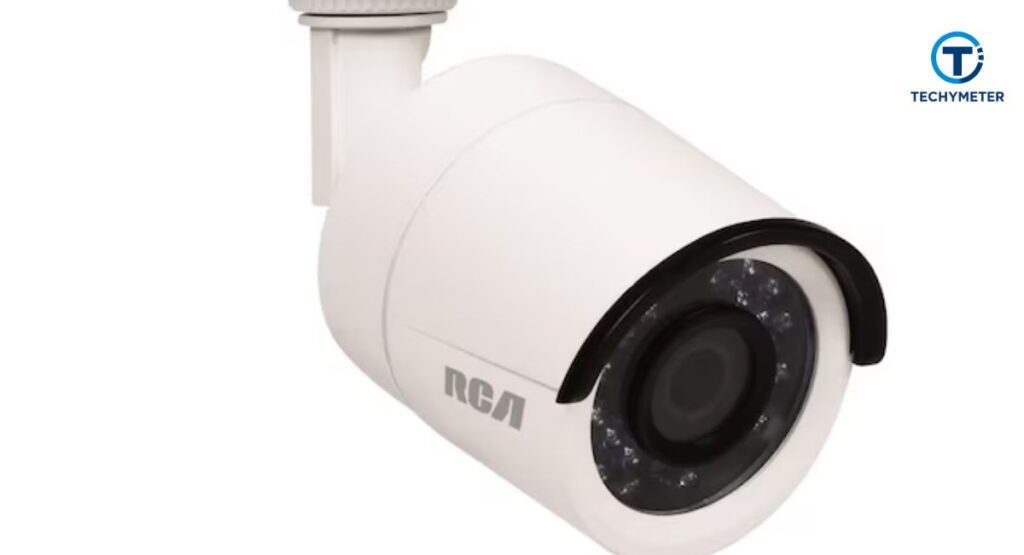
An RCA CCTV camera is a standard video surveillance device used for monitoring homes or businesses, offering live view and recorded footage. Unlike hidden-camera concepts discussed earlier, RCA CCTV cameras are clearly labeled security products, not disguised or deceptive devices.
Connect CCTV Camera to TV Using RCA Cable
To connect your CCTV camera AV output to a TV, use a RCA yellow, red, and white cable. Ensure the TV AV mode CCTV is selected. If the camera is far from the TV, use an RCA extension cable CCTV. This setup provides a direct camera to TV feed with minimal hassle.
Check the composite video resolution supported by your TV to prevent security camera black screen issues. For a camera without DVR recording, this method gives a simple analog CCTV connection that’s ideal for home or office monitoring.
Connect the HD Security Camera to the TV with the RCA Adapter
High-definition cameras often need an RCA to HDMI converter or a BNC to RCA adapter for the TV to connect via RCA. Once connected, plug the RCA yellow video cable into the TV’s AV input for the security camera. Power the camera and select the TV input source AV.
This method provides CCTV live view on TV without a DVR. It’s perfect for users who want to combine HDMI output security camera features with an analog camera RCA setup. You get sharper images while keeping installation simple.
Connect Surveillance Mic to TV Audio with RCA
A microphone for audio monitoring is a feature of several security cameras. To hear audio on TV, use the RCA audio-video transmission feature. Connect the mic’s output to the TV AV mode camera using an RCA yellow, red, and white cable.
Adjust TV audio settings to hear the sound clearly. This setup allows a security camera AV output with both video and audio. It’s useful for offices, daycares, or stores. Even without a DVR, you get live video on television with audio monitoring included.
How to View Multiple Security Cameras on a TV with RCA
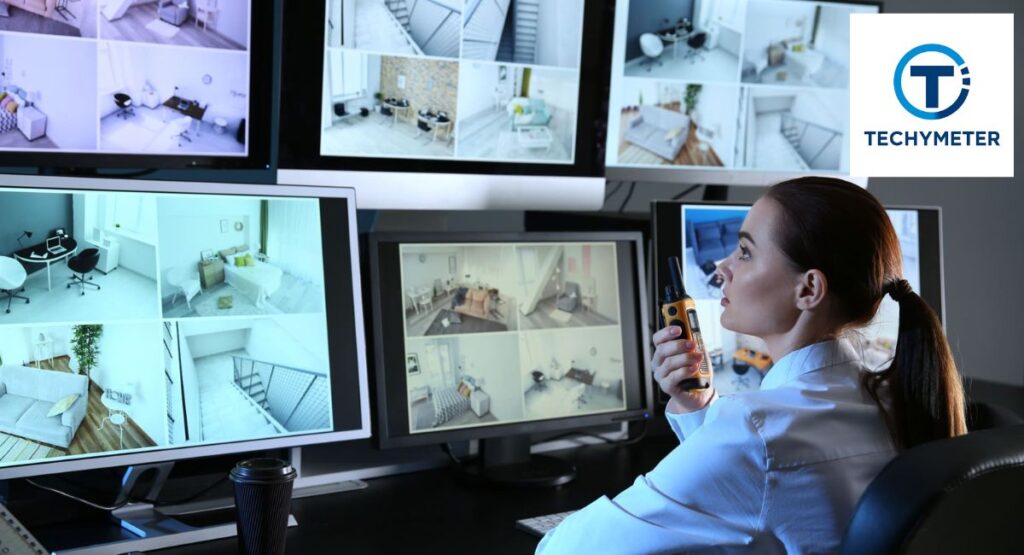
If you have multiple cameras, a video multiplexer CCTV can help you view all feeds on one TV. Each camera’s CCTV RCA video output connects to the multiplexer using a RCA yellow, red, and white cable. The multiplexer then outputs to your TV’s AV input on television.
This setup provides a CCTV live view on TV from multiple angles. It’s ideal for stores, warehouses, or large homes. You can even expand the system with an RCA extension for CCTV to reach farther cameras, ensuring a smooth, direct camera-to-TV feed.
How it Works
A video multiplexer CCTV combines multiple security camera video out signals into one. Each analog camera RCA setup feeds into the device. The multiplexer switches the input automatically or manually so the TV shows all cameras in sequence or split-screen. This ensures live video on television without a DVR.
Video Multiplexer Demo for RCA Camera to TV
To understand, imagine a setup with four CCTV camera AV output connections. Each camera plugs into a multiplexer. The multiplexer then outputs through a single RCA cable from the camera to the TV. This allows a CCTV monitor with an RCA input to display all four feeds simultaneously.
Using a multiplexer improves the RCA video signal to TV quality, prevents flickering, and avoids security camera no signal RCA issues. For larger setups, combine with an HDMI splitter for CCTV if using a converter for HD feeds.
How to Display Your Security Camera on Multiple TVs Using RCA
To show one camera on multiple TVs, use an RCA splitter or an HDMI splitter for CCTV. Connect the CCTV RCA video output from the camera to the splitter. Every output is sent to the AV input security camera on a TV or, in the case of HD TVs, via an RCA to HDMI converter.
This setup ensures a direct camera to television display on every screen. It’s perfect for monitoring stores or large properties. Make sure each TV supports the TV AV mode camera and adjust the composite video resolution for the best display.
How to Connect a Security Camera to a TV with a DVR Using RCA
Even with DVRs, the RCA video signal to the TV can be used. Connect the analog CCTV connection from each camera to the DVR using BNC connectors to RCA adapters. Then, connect the DVR’s output to your TV via an RCA cable from the camera to the TV or an RCA to HDMI converter for HD TVs.
Power the DVR and cameras. Switch your TV input source AV to the DVR feed. This setup gives CCTV live view on TV, recording capability, and ensures a security camera TV display with multiple cameras. It’s a mix of modern DVR and a camera without DVR recording flexibility.
How to Connect a Security Camera to a TV with an NVR Using RCA
For IP or PoE cameras, an NVR to TV HDMI output is standard, but you can still use an RCA video signal to TV via converters. After connecting your Ethernet camera to a TV via the NVR, feed the signal into the TV’s AV input using an Ethernet to HDMI adapter or an RCA to HDMI converter.
This setup allows CCTV live view on TV with digital cameras. It’s perfect for large setups where multiple cameras need a direct connection to a television display. Using an RCA extension cable, CCTV can help if the cameras are far from the TV.
Connecting a Security Camera with an RCA Cable to a TV Wirelessly
Wireless cameras with AV outputs simplify installation. The camera sends security camera video out to a wireless receiver for the camera, which then connects to the TV using an RCA yellow, red, and white cable. No drilling or long-wired CCTV RCA connection is needed.
Ensure your TV input compatibility supports RCA. For smart TVs, a smart TV camera app or Fire TV Stick camera viewer can cast the direct camera to the TV feed. This setup avoids RCA camera no signal on TV issues and keeps the installation neat.
Can I display the stream from my backyard camera on my TV?
Yes, with a wireless camera receiver box or smart TV screen casting, you can view a backyard camera on your TV. Connect the CCTV RCA video output to the receiver or app, then select the correct TV input source AV. This gives live video on television with minimal hassle.
How can a security camera be connected to a television?
Use a coaxial to RCA cable or a BNC to RCA adapter for the TV. Connect the camera’s analog CCTV to the smart TV output to the AV input on the television. Power the camera with an RCA camera power adapter. Switch to TV AV mode, and CCTV to see the security camera TV display instantly.
Is it better to have wired or wireless security cameras?
Wired vs wireless camera for TV depends on your setup. Wired cameras provide a stable RCA video signal to the TV, ideal for CCTV live view on the TV. Wireless cameras are flexible and use a wireless receiver for camera or smart TV screen casting.
Wired setups may need an RCA extension cable for longer distances, while wireless systems rely on strong Wi-Fi. Consider analog vs IP camera to TV needs and whether you want a camera without DVR recording or live feeds with multiple TVs using an HDMI splitter multiple TVs.
Why It’s Better to Use HDMI Along with RCA Camera Connections?
Using an HDMI to RCA converter for CCTV enhances your RCA video signal to TV quality. While an RCA cable from a camera to a TV is simple, combining HDMI ensures HDMI output of a security camera delivers sharper images and better composite video resolution.
This setup also supports RCA audio-video transmission, letting you hear audio while viewing CCTV live view on TV. With a small RCA to HDMI converter, even older cameras can appear on modern TVs without security camera no signal RCA problems.
How to Connect Wireless Security Cameras to TV with RCA Support
Wireless cameras often include a wireless receiver for a camera with CCTV camera AV output. Connect the receiver to the TV using an RCA yellow, red, and white cable or an RCA to HDMI converter. Select the TV input source AV to get the direct camera to television feed.
This method avoids long-wired CCTV RCA connection runs and prevents RCA camera black screen fix issues. You can also use a smart TV camera app or a Fire TV Stick camera viewer to display a security camera live view from wireless cameras without a DVR.
How do I know if my security camera is of good quality?
Check the CCTV video format compatibility and composite video resolution. A quality camera provides an analog CCTV connection that works with an AV input on a television. Also, verify the TV-compatible camera supports your display method, whether via an RCA cable from the camera to the TV or an HDMI splitter for multiple TVs.
Choosing the Right Security Camera for RCA to TV Connection
Selecting the right camera depends on whether you want a camera without DVR recording or full DVR/NVR integration. Analog camera RCA setup is simple, while HD-SDI or HD-TVI cameras may need a BNC to RCA adapter. For wireless options, ensure the wireless camera receiver box works with your TV AV mode camera.
Consider distance, video quality, and TV input compatibility. For homes or small businesses, a direct camera to TV feed using an RCA yellow video cable is often enough. For advanced setups, integrate with an HDMI splitter for CCTV or smart TV screen casting.
Connecting a Security Camera with an RCA Cable to a TV in 2026
By 2026, most TVs will support smart TV camera app integrations. Even analog CCTV to smart TV can work through an RCA to HDMI converter or an AV composite input TV. Modern setups allow a security camera TV without a DVR, with a direct camera to the television display.
Future setups will combine a PoE camera with a TV and wireless streaming. Using an Ethernet to HDMI adapter or an HDMI splitter to connect multiple TVs, you can manage multiple feeds on one screen. The goal is simple: clear CCTV live view on TV without technical headaches.
How to Connect a CCTV Camera to a TV Without a DVR Using an RCA
If you want a CCTV camera without a DVR, using an analog camera RCA setup is the simplest method. Connect the camera’s CCTV RCA video output to the TV’s AV input on the television using an RCA yellow, red, and white cable. Power the camera with an RCA camera power adapter and switch your TV input source to AV.
This allows live video on television instantly. You can even extend the cable using an RCA extension for CCTV to cover long distances. This setup is ideal for temporary monitoring or small homes, giving a security camera TV display without needing a recorder.
How to Connect a CCTV Camera to a TV With a DVR via RCA
For the DVR vs direct TV connection, the DVR offers recording while the DirecTV feed lets you monitor live. Connect your analog CCTV connection from the camera to the DVR using a BNC connector to RCA. Then connect the DVR’s output to the TV via an RCA cable from the camera to the TV, or an RCA to HDMI converter.
Power everything, and select the TV AV mode CCTV. This ensures a security camera live view on the screen while recording. Using a video multiplexer CCTV with multiple cameras ensures viewing multiple cameras on TV seamlessly.
How to Connect a Security Camera to a Smart TV with RCA
Modern smart TV camera app systems allow analog CCTV to smart TV integration. Connect the camera via an RCA yellow video cable or use an RCA to HDMI converter for HD TVs. Open the smart TV’s camera app or use the Fire TV Stick camera viewer to display the direct camera to TV feed.
This setup allows a camera monitor display without a DVR. You can cast multiple cameras using an HDMI splitter to multiple TVs or mirror the feed from your phone using smart TV screen casting. The combination of CCTV, RCA video output, and modern apps makes monitoring simple.
Conclusion
Connecting a security camera to a TV using an RCA cable is simple, cost-effective, and versatile. Whether you are using an analog camera RCA setup, a CCTV monitor RCA input, or a wireless receiver for a camera, you can achieve live video on television without complicated setups.
With a BNC to RCA adapter, RCA to HDMI converter, or an HDMI splitter for CCTV, multiple feeds and high-quality images are possible. By following these steps, you can enjoy a security camera TV without a DVR, direct camera to television viewing, and smooth CCTV live view on TV for your home or business.
For best results, always check TV input compatibility, use a quality RCA extension cable CCTV, and ensure proper RCA audio-video transmission for clear feeds. In 2026, smart TVs and wireless solutions make connecting a security camera with an RCA cable to a TV easier than ever.
FAQs
1. Can I connect a security camera with an RCA cable to a TV without a DVR?
Yes, you can connect an analog CCTV to a smart TV or a regular TV using an RCA cable from the camera to the TV. Simply plug into the TV’s AV input on the television and switch to TV AV mode CCTV.
2. What type of cameras work best with the RCA to TV connection?
The best options are wireless cameras with AV outputs and analog cameras with BNC connectors. Modern IP cameras may need an RCA to HDMI converter for the RCA connection.
3. Why is my RCA camera showing no signal on TV?
This usually occurs due to incorrect PAL NTSC RCA camera settings, a loose RCA yellow video cable, or a wrong TV input source AV. Ensure proper connection and correct video format.
4. How do I fix a black screen on my RCA camera?
Check the RCA camera power adapter and ensure the security camera video out is connected. Switching the TV to AV input often resolves the RCA camera black screen issue.
5. Can I display multiple cameras on a TV using RCA?
Yes, a video multiplexer, CCTV, or HDMI splitter can show feeds from several cameras. Each camera connects via CCTV RCA video output for live video on television.
6. Do I need a DVR to use an RCA camera on a TV?
No, a CCTV camera without a DVR can connect directly using an RCA cable from the camera to the TV. DVRs are only required if recording or advanced features are needed.
7. Is it possible to use RCA to link a wireless security camera to a TV?
Yes, use the wireless receiver for the camera to convert the security camera AV output to an RCA video signal to the TV. Select the correct TV input source AV for live viewing.
8. Is RCA better than HDMI for security cameras?
RCA is simple and compatible with older TVs (analog CCTV connection), while HDMI offers higher composite video resolution and audio support. Using an RCA to HDMI converter combines both benefits.
9. Can I use an RCA camera with a smart TV?
Absolutely, an analog CCTV to smart TV works via an RCA to HDMI converter or a smart TV camera app. This allows a direct camera feed to a TV feed and easy streaming.
10. How do I improve RCA video quality on TV?
Use a high-quality composite video cable for CCTV and a proper RCA extension cable for CCTV. Ensure CCTV video format compatibility and correct PAL NTSC camera settings for clear images.
Read More
Best Camera Hard Cases for Ultimate Gear Protection
Powerful Blink Camera Batteries That Last Shockingly Long
Best Compact Cameras for Travel in 2026 (No Regrets)
How to Add Cameras to Your Blink Network: Complete Step-by-Step Guide
 Ahmedd12