 By Ahmedd12
Charging a camera looks easy. In real life, it often confuses people. If you want to charge a Sony camera safely, you must understand how Sony designs its batteries and power systems. This guide explains every Sony camera charging method in plain language, so you never damage your gear or lose battery performance.
Sony uses modern lithium-ion battery technology. These batteries are smart but sensitive. The way you charge them affects Sony camera battery life, charging speed, and safety. This article walks you through each method step by step, so charging feels natural, not risky.
“Learn how to charge a Sony camera safely and efficiently using 7 smart methods to extend battery life, avoid damage, and optimize performance for all Sony models.”
In this article, we explore “how to charge a Sony camera.”
What Is the Correct Way to Charge a Sony Camera?
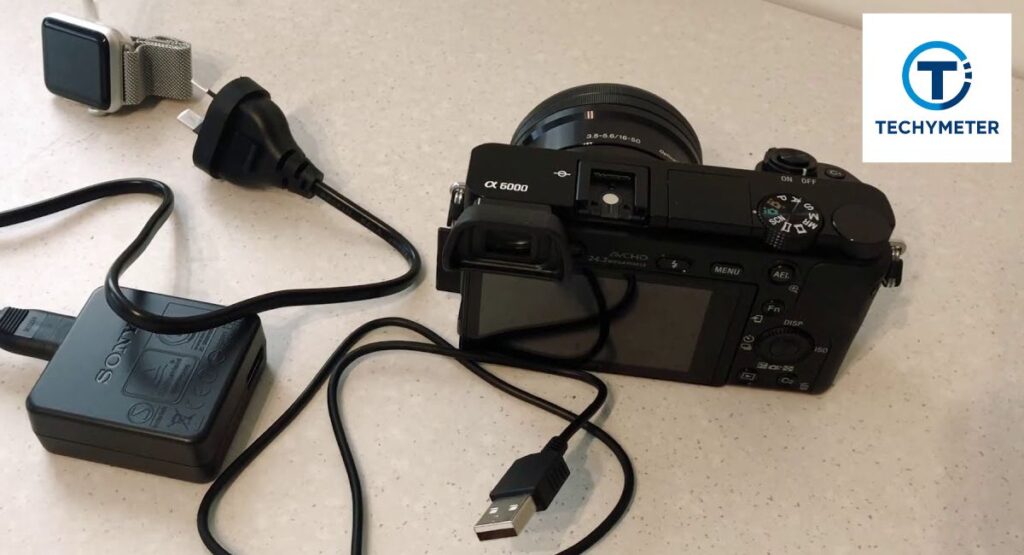
The correct way to charge a Sony camera depends on its camera model number and power design. Most Sony cameras charge through a charging port using a USB cable connected to a stable wall outlet or AC adapter. Sony controls power flow internally to protect the battery.
Sony recommends using the original Sony charger or an approved Sony camera power adapter. These accessories regulate voltage properly. Incorrect power sources may increase heat and reduce the Sony camera battery charging efficiency. A steady power source always matters more than speed.
How to Charge a Sony Camera Battery for the First Time
First-time charging of Sony camera batteries does not require special rituals. Modern lithium-ion battery cells come partially charged. You simply connect the camera to a safe Sony camera power source and allow it to reach full capacity before heavy use.
However, first charging sets usage habits. Always charge with the camera turned off. This allows accurate battery percentage calibration. Avoid cheap cables. A stable Sony camera charger helps ensure long-term performance and prevents early Sony camera battery replacement.
Different Ways to Charge a Sony Camera Explained
Sony offers flexibility. You can charge using Sony camera USB charging, an external battery charger, or direct power through a Sony camera power cable. Each method delivers energy differently. Some focus on speed. Others focus on convenience.
Choosing the right method depends on how you shoot. Studio users prefer external chargers. Travelers rely on USB charging and power bank support. Understanding these options helps you control Sony camera charging time without harming battery health.
How to Charge a Sony Camera Using a USB Cable
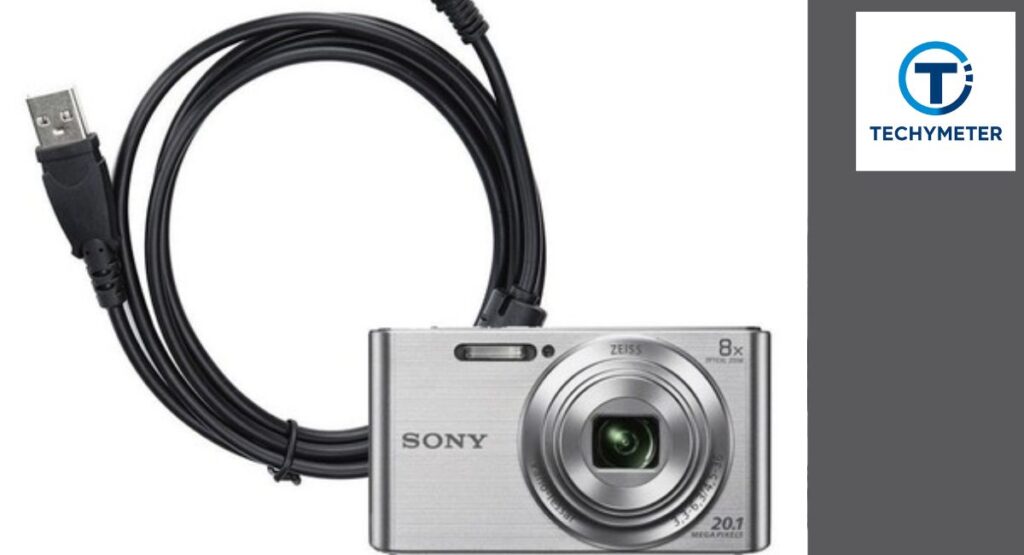
USB charging is the most common way to charge a Sony camera today. You connect a USB cable to the camera’s micro-USB / USB-C port and plug it into a stable wall outlet or power adapter. The camera manages charging internally.
Always check the charging light indicator. A blinking light means charging is active. A solid light usually means full. USB charging is slower but safer. It is ideal for daily use and protects the Sony camera battery life over time.
Charging Time Comparison Table
| Charging Method | Average Time | Best Use Case |
| USB cable + wall outlet | 3–4 hours | Daily home charging |
| External battery charger | 2–3 hours | Fast professional use |
| Power bank | 4–5 hours | Travel charging |
How to Charge a Sony Camera Without a Charger
You can still charge a Sony camera even if the original charger is missing. Many Sony models support direct power through a USB cable connected to a stable wall outlet or laptop. The internal circuit controls the Sony camera battery charging safely when power is steady.
However, avoid random adapters. Poor voltage compatibility causes slow charging or overheating. Always confirm the power source delivers consistent output. This protects Sony camera battery life and reduces the risk of early Sony camera battery replacement.
How to Charge a Sony Camera Through a Power Bank
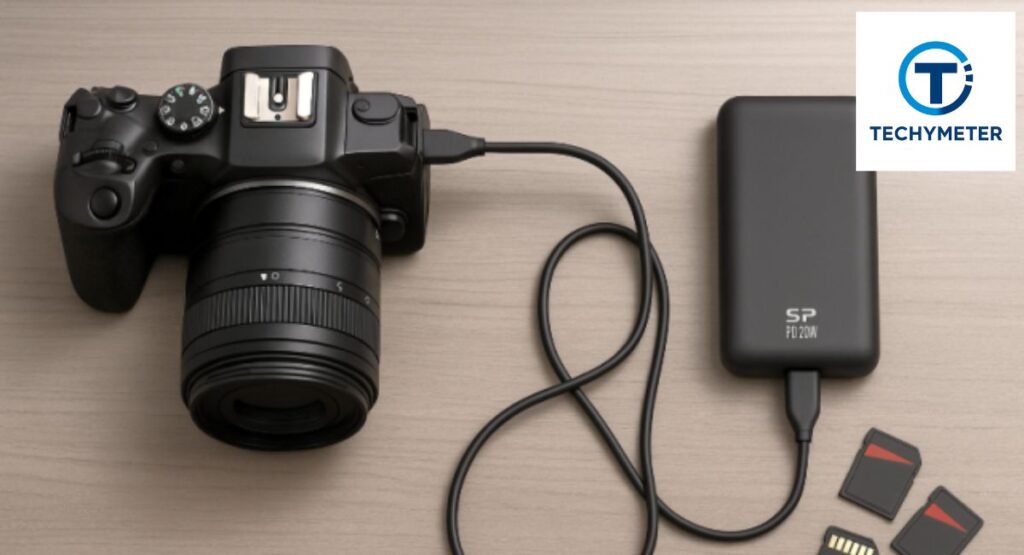
A power bank is one of the safest backup options for travel charging. Connect the camera using a quality Sony camera power cable to the charging port. The camera pulls only the power it needs, which protects the battery.
Choose a power bank with a stable output. Low-quality banks fluctuate in voltage. That increases heat and extends the Sony camera charging time. Reliable power banks work well for outdoor shoots and long trips where outlets are unavailable.
Can You Charge a Sony Camera While Recording or Shooting?
Some Sony models support charging while recording, especially newer mirrorless cameras. The camera draws power directly while slowly topping up the battery. This works best with a strong AC adapter or high-output power source.
However, heat matters. Video recording already warms the camera. Adding charging increases the temperature. For long sessions, monitor the charging light indicator and stop if the heat rises. Heat is the silent enemy of Sony mirrorless camera battery health.
How much time does it take for a Sony camera to charge completely?
Sony camera charging time depends on battery size and power input. USB charging usually takes longer than using an external battery charger. Most cameras need two to four hours for a full charge when powered correctly.
Heavy usage affects timing. Charging with the camera turned off is faster. Shooting or menu browsing slows charging. Understanding this helps you plan sessions without stressing your Sony camera’s power source.
Real-World Charging Time Table (USA Usage)
| Camera Type | USB Charging | External Charger |
| Sony mirrorless | 3–4 hours | 2–3 hours |
| Sony DSLR | Not supported | 2–3 hours |
| Sony compact | 2–3 hours | Rarely used |
How to Know When a Sony Camera Is Fully Charged
Sony cameras clearly show charging status. A steady charging light indicator usually means the battery is full. Some models also display the battery percentage on screen once powered on. This helps you avoid overcharging and heat buildup.
If the light keeps blinking after many hours, the power may be unstable. Check the USB cable and wall outlet. Reliable signals protect the Sony camera battery life and reduce long-term charging stress.
How to Charge a Sony Mirrorless Camera Safely
Sony mirrorless camera charging requires steady power and airflow. These cameras draw more energy because of electronic viewfinders and processors. Always use a certified Sony camera power adapter or a strong USB source.
Heat management matters. Place the camera on a flat surface. Avoid charging inside bags. Stable charging protects the Sony mirrorless camera battery and prevents early performance loss during video or photography sessions.
How to Charge a Sony DSLR Camera Battery
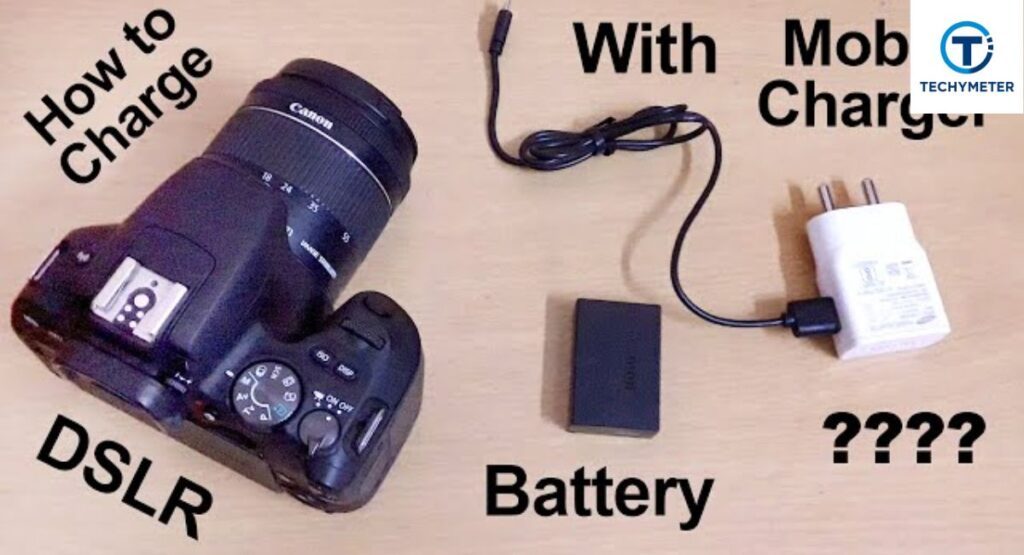
Sony DSLRs do not support in-camera USB charging. You must remove the battery from the battery compartment and place it into a Sony DSLR battery charger. This method delivers faster and safer charging.
External charging reduces internal heat. It also gives more accurate battery conditioning. This approach preserves Sony camera battery charging efficiency and ensures long-term reliability for DSLR users.
How to Charge a Sony Point-and-Shoot Camera
Compact cameras like Sony Cyber-shot charge rely heavily on USB power. Connect the camera to a stable AC adapter using the correct micro-USB / USB-C port. Charging is slower but very controlled.
Because compact batteries are smaller, avoid overnight charging often. Gentle charging habits help maintain Sony camera battery life, especially for travel and casual photography.
Charging Indicator Behavior Table
| Indicator State | Meaning |
| Blinking light | Charging in progress |
| Solid light | Fully charged |
| No light | Power issue or cable fault |
How to Charge Sony Alpha Series Cameras (A6000, A7, A9)
Charging Sony Alpha camera models requires careful power control. Cameras in the Sony Alpha series use larger sensors and processors. Models like Sony A6000 charging, Sony A7 charging, and Sony A6400 charging work best with stable USB or adapter power.
These cameras support USB charging through the micro-USB / USB-C port. Use a strong Sony camera power adapter to avoid slow charging. Stable power reduces heat and protects Sony camera battery life, especially during video-heavy use.
How to Charge a Sony Camera Battery Using an External Charger
An external battery charger is the fastest way to handle Sony camera battery charging. You remove the battery from the battery compartment and place it directly into the charger. This method delivers consistent voltage and better heat control.
Professionals prefer this approach. It reduces internal camera heat and improves charging accuracy. Over time, this helps delay Sony camera battery replacement and maintains dependable performance across shoots.
Can You Use a Phone Charger to Charge a Sony Camera?
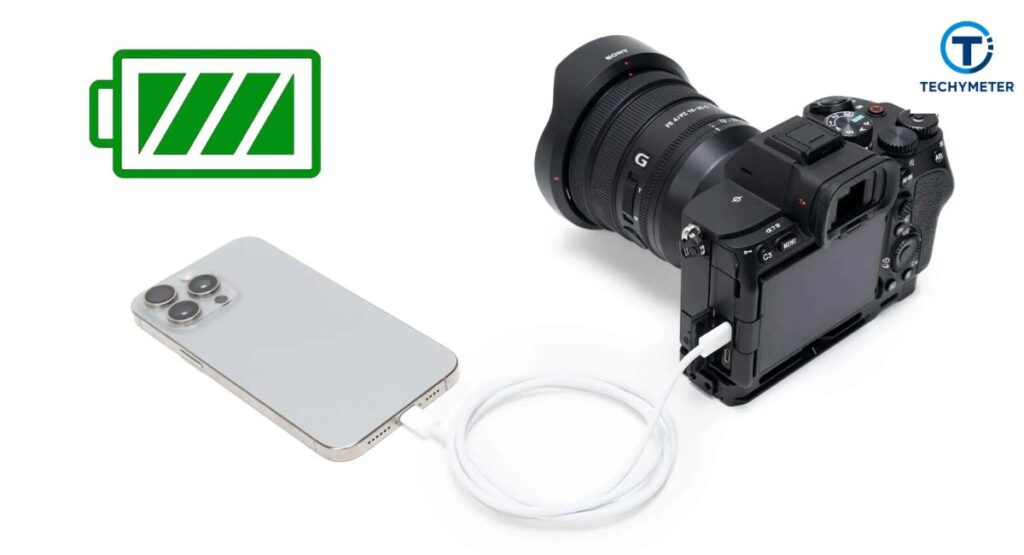
Yes, but only if the phone charger meets proper voltage compatibility. Many modern phone adapters provide stable output through a USB cable. When compatible, they safely charge a Sony camera without damage.
Avoid cheap adapters. Poor regulation causes overheating or slow charging. Always check labels before use. A safe charger protects Sony camera battery life and ensures reliable Sony camera charging time.
How to Charge a Sony Camera in a Car
Car charging works well when done correctly. Use a quality car AC adapter connected to the vehicle’s power outlet. Plug the camera into the charging port using a strong Sony camera power cable.
Start charging only after the engine is running. This prevents voltage drops. Car charging is ideal for road trips and field work, especially when combined with smart travel charging habits.
Safe Charging Power Sources Table
| Power Source | Safety Level | Best Use |
| Wall outlet + adapter | High | Home charging |
| External charger | Very high | Professional use |
| Car adapter | Medium | Travel and emergencies |
| Phone charger | Medium | Backup charging |
What Type of Cable Is Needed to Charge a Sony Camera?
The right cable is critical to charge a Sony camera safely. Most modern models use a micro-USB / USB-C port. Using an approved USB cable ensures stable power and reduces heat during Sony camera battery charging.
Cheap or worn cables can cause slow charging or even battery damage. Always use the original Sony charger or a high-quality alternative with proper voltage compatibility. This protects both your camera and your Sony camera battery life over time.
Why Is My Sony Camera Not Charging?
Several factors can prevent charging. Loose connections, faulty USB cable, or an incompatible AC adapter are common causes. Sometimes the battery itself is worn, needing a Sony camera battery replacement.
Check the charging light indicator. If it doesn’t blink, unplug and reconnect using a trusted power source. Restarting the camera or trying another Sony camera power source often solves the problem quickly.
Common Sony Camera Charging Problems and Fixes
Sony cameras can experience slow charging, no response, or overheating. Slow charging often results from a weak USB cable output or unstable wall outlet power. Overheating happens if the camera charges while recording or in direct sunlight.
Fixes include using a certified Sony camera power adapter, charging with the camera turned off, or switching to an external battery charger. Following these steps helps maintain Sony camera battery life and prevents premature battery replacement.
How to Check Sony Camera Battery Health
Checking battery health ensures your Sony camera battery charging remains effective. Many models display battery percentage or use diagnostic menus to monitor health. A battery that drains too fast may need replacement.
Regularly monitoring the charging light indicator and runtime alerts helps you avoid surprises during shoots. Proper storage and gentle charging extend Sony camera battery life, especially for Sony mirrorless camera batteries and DSLR models.
Battery Health Tips Table
| Battery Issue | Symptom | Solution |
| Rapid drain | The battery goes down quickly | Replace the battery or check the charging method |
| Overheating | Camera warms while charging | Use an external charger or turn off the camera |
| No charge | Light doesn’t blink | Test cable and adapter |
Is It Safe to Leave a Sony Camera Charging Overnight?
Most modern Sony cameras include overcharging protection within their lithium-ion battery system. This means leaving the camera connected overnight is generally safe, especially when using the original Sony charger or a certified Sony camera power adapter.
However, avoid charging in hot environments or inside bags. Overheating can still reduce Sony camera battery life over time. Monitoring the charging light indicator ensures your battery remains healthy and ready for use.
Tips to Extend Sony Camera Battery Life While Charging
Maintaining battery health requires smart habits. Always charge with the camera turned off, and avoid low-quality USB cables or adapters. Stable Sony camera power sources significantly reduce stress on Sony mirrorless camera batteries or DSLR cells.
Temperature control matters too. Charging in moderate conditions prevents heat damage. Periodically cycling the battery and checking the battery percentage helps prolong the lifespan. Consistent care delays the need for Sony camera battery replacement.
How to Charge a Sony Camera While Traveling
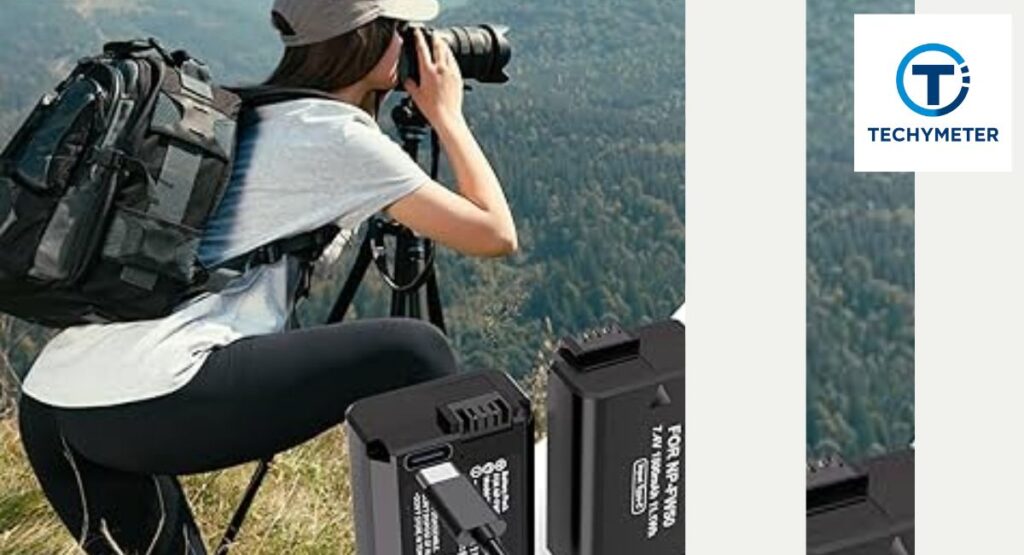
Travelers need flexible options for travel charging. A sturdy power bank or compatible USB cable is essential. Using a Sony camera power adapter with a universal plug keeps charging safe on the go.
Plan by checking voltage compatibility. Some hotel outlets fluctuate, which can extend Sony camera charging time or harm Sony camera battery life. Smart packing of chargers and cables ensures uninterrupted shoots during trips.
How to Charge a Sony Camera Without Removing the Battery
Some cameras allow in-camera charging, eliminating the need to remove the battery from the battery compartment. Connect a certified Sony camera power cable to the charging port, and the camera will manage Sony camera battery charging internally.
This method is convenient for casual users or travel photographers. However, it is slower than using an external battery charger, especially for heavy-use sessions. Always monitor the charging light indicator to prevent overheating.
Charging Tips Summary Table
| Charging Method | Speed | Best Use | Notes |
| External battery charger | Fast | Professional use | Best for DSLRs and Alpha series |
| In-camera charging | Moderate | Travel or casual | Safer, slower |
| USB cable + wall outlet | Moderate | Daily home charging | Stable, reliable |
| Power bank | Slow | Travel charging | Portable, voltage-dependent |
Does Charging Method Affect Sony Camera Battery Life?
The way you charge a Sony camera directly affects its long-term performance. Using a stable Sony camera power adapter or an approved external battery charger ensures consistent voltage. Rapid or unstable charging, such as cheap adapters or weak USB cables, can shorten Sony camera battery life.
Even slight overheating during charging slowly reduces capacity. Monitoring the charging light indicator and avoiding charging while recording protects your Sony mirrorless camera battery and DSLR cells, maintaining reliable performance across years of use.
Can You Use Third-Party Chargers for Sony Cameras?
Third-party chargers can work but require caution. Only use brands certified for voltage compatibility. Cheap or untested third-party chargers risk overheating, slow charging, or damage. Always verify power output and connection stability.
When done correctly, third-party solutions offer backup options for travel or fieldwork. Combining a trusted charger with proper Sony camera USB charging techniques keeps the Sony camera battery life safe and reliable.
How to Store a Sony Camera Battery After Charging
Proper storage preserves Sony camera battery life. Remove the battery from the battery compartment and store it partially charged—typically around 50%. Avoid extreme temperatures, moisture, or direct sunlight, which degrade lithium-ion battery cells.
Label batteries by charge date if storing multiple units. This ensures long-term readiness and reduces early Sony camera battery replacement. Periodic top-ups help maintain health if stored for months.
Sony Camera Charging Safety Tips You Must Know
Always prioritize safety when charging. Use only a Sony camera power adapter or certified AC adapter, avoid cheap USB cables, and never expose batteries to extreme heat. Avoid charging in bags or near flammable materials.
Check the charging light indicator regularly. Never leave the camera unattended for extended periods in unusual conditions. Smart habits like these prevent damage, protect the Sony camera battery life, and allow years of reliable performance.
Sony Camera Charging Safety Checklist
| Safety Step | Reason |
| Use the original Sony charger | Stable voltage and safe current |
| Charge with the camera turned off | Reduces heat and stress |
| Avoid extreme temperatures | Prevents battery damage |
| Monitor charging light | Confirms charging status |
| Store partially charged | Extends battery lifespan |
Conclusion
Properly charging your Sony camera is more than just plugging it in. Using the right Sony camera charger, USB cable, or external battery charger ensures safe Sony camera battery charging, extends battery life, and prevents premature Sony camera battery replacement.
Whether you use a power bank, car adapter, or in-camera USB charging, monitoring the charging light indicator and maintaining good habits preserves performance. Following these 7 smart methods gives you confidence, whether at home, on the road, or during professional shoots.
FAQs
1. Can I charge my Sony camera with any USB charger?
Yes, but only if it matches the camera’s voltage compatibility. Using cheap adapters may damage the lithium-ion battery.
2. Is it safe to charge a Sony camera while recording?
Some models support charging while recording, but heat can build up. Monitor the charging light indicator to avoid battery stress.
3. How long does it take to fully charge a Sony camera?
Most cameras take 2–4 hours with a certified Sony camera power adapter. USB charging is slower, especially for larger Sony Alpha series batteries.
4. Can I leave my Sony camera charging overnight?
Modern cameras include overcharging protection, making overnight charging generally safe. Avoid hot or enclosed areas to protect battery health.
5. How do I know when my Sony camera is fully charged?
Check the charging light indicator or the battery percentage on-screen. A solid light usually means the battery is full.
6. Can I use a third-party charger for my Sony camera?
Yes, if it is certified for voltage compatibility. Cheap third-party chargers can reduce Sony camera battery life or damage the camera.
7. How can I charge a Sony camera without a charger?
You can use a reliable USB cable with a stable wall outlet or power bank. Avoid fluctuating power sources to protect the battery.
8. How do I charge Sony mirrorless and DSLR cameras differently?
Mirrorless cameras often support USB charging, while DSLRs usually require an external battery charger for safer, faster charging.
9. Does the charging method affect Sony camera battery life?
Yes, slow, stable charging preserves Sony camera battery life better than rapid or unstable power sources. Heat and poor adapters shorten lifespan.
10. How should I store a Sony camera battery after charging?
Store it partially charged, around 50%, in a cool, dry place. Avoid extreme heat or direct sunlight to prolong the Sony camera battery life.
Read More
7 Proven Ways to Access Traffic Camera Footage for Free
3–5 Hours? The Truth About Outdoor Solar Security Camera Sunlight
Top Secrets of Radio Control Helicopter Camera for Buyers
Camera Dolly Secrets for Stunning Cinematic Motion